
Set a pace.
Set focus periods, breaks, and cycles. Save the plans you return to, from a quick sprint to a longer stretch of deep work.
25:00 focus→ 05:00 restTIMEHELD FOR MAC
Set a timer. Put distracting sites on hold. See where your study time goes. All from your Mac’s menu bar.
Made for macOS · Public download coming soon
A small taste of focused work.
Timer & Superfocus: 10 seconds. Stopwatch: no time limit.
This is an interactive preview. It doesn’t block your devices.
A plan you can start.
Space to stay with it.
Progress you can see.
THREE WAYS TO FOCUS
Plan a session, count up as you work, or commit to a fixed stretch. Choose the mode that suits the task.
Meet your three focus modesSet focus periods, breaks, and cycles. Save the plans you return to, from a quick sprint to a longer stretch of deep work.
25:00 focus→ 05:00 restStart an open-ended session and let your time build. Pause when you need to, and save the work you actually did.
One deliberate commitment, from one minute to eight hours. Manual pause and end controls stay locked until the session is complete.
Understand the commitment ↗STUDY HISTORY
Track time by course or project. Compare your days, find your study rhythm, and take the numbers with you when you need them.
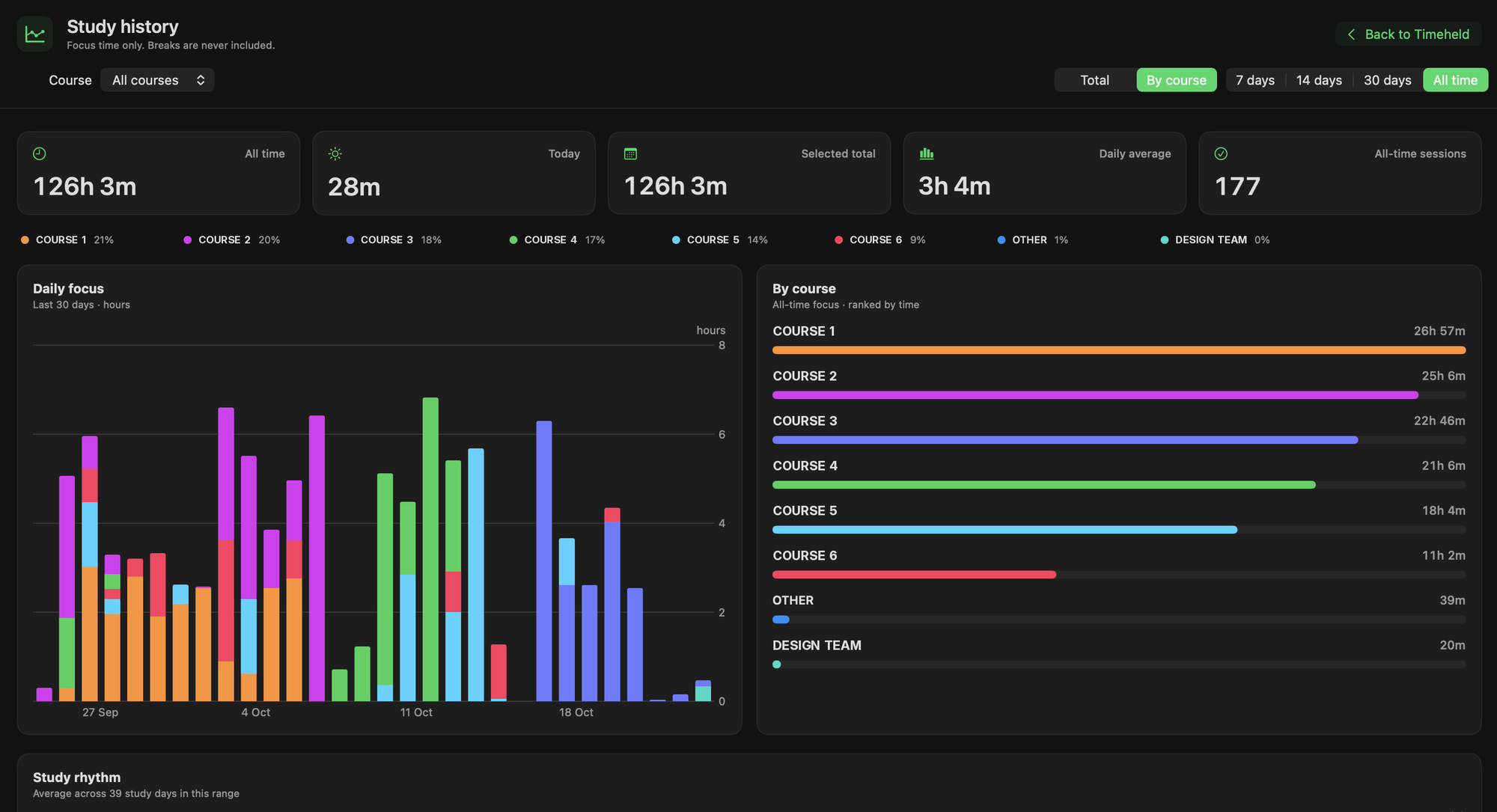
Your work adds up. Breaks are never counted as focus time.
What’s new in TimeheldBROWSER SUPPORT
Choose distracting websites once. During focus time, the Safari extension helps keep those detours out of the way.
One download. Enable the bundled extension and choose the sites you want to set aside.
Set up SafariStore links will be added here when a Timeheld extension is available for this browser.
See availabilityStore links will be added here when a Timeheld extension is available for this browser.
See availabilityStore links will be added here when a Timeheld extension is available for this browser.
See availabilitySafari is the browser supported by the current Mac preview. No separate Safari store download is required.
GETTING STARTED
Add your courses or projects. Pick the sites you want to set aside.
Choose a saved timer plan, start the stopwatch, or make a Superfocus commitment.
See your saved time in History. Find patterns, compare days, or export a CSV.
QUESTIONS
The public Mac download is not available yet. This site introduces the app and its features. The current development build targets macOS 14 or later on Apple silicon; final release requirements will appear on the Downloads page.
The shipped extension currently supports Safari. Chrome, Edge and Firefox store links will be added when versions for those browsers are available. The timer and history still work independently of your browser.
Superfocus intentionally locks manual pause and end controls for the selected commitment. Read the Superfocus guide before starting. It is a focus aid, not a security boundary or an unbreakable restriction.
Companion apps and cross-device control are in development. They are not offered as public App Store downloads here. The current standalone development preview does not include iCloud sync. No app binaries are offered on this website yet.
The Mac app saves study history locally. You can review time by course or project and export it as CSV. This website does not receive your app’s study history.
ONE THING AT A TIME
Public download coming soon
macOS · Safari extension planned for the release